
YOUR EVERYDAY NOTEBOOK
More than a place
to write things down.
Write offline, organise your ideas, plan ahead and keep useful details close. Explore what Anytime Notes can do.
Unlimited notes and checklists. No in-app ads. No app account required.
Writing & photos
Free & PremiumMake room for the whole idea.
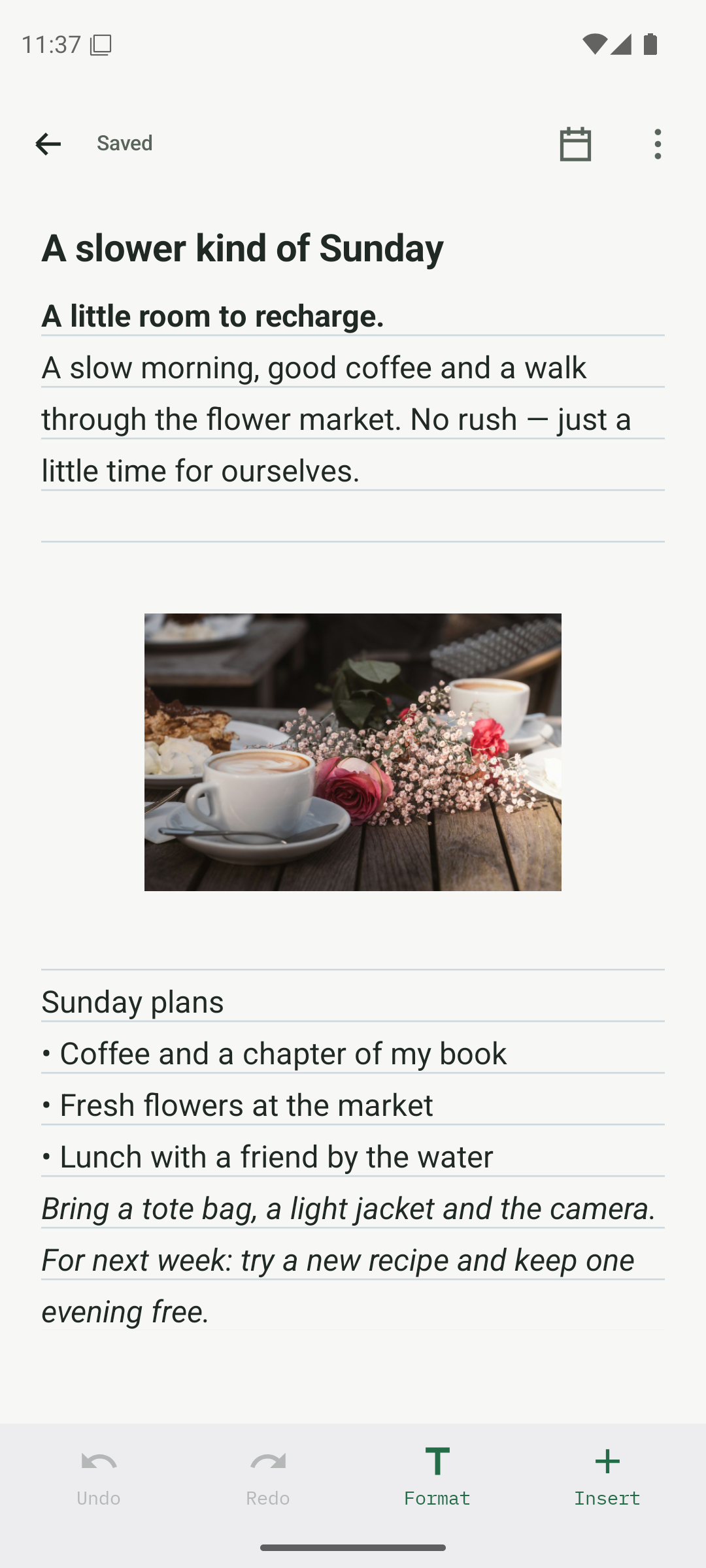
A quick thought, a project brief or a day worth remembering. Keep your words and photos together.
- Bold, italic, headings and links
- Bulleted lists, numbered lists and quotes
- Photos between editable text blocks
- Automatic saving, undo and redo
More details
- Find text within a note and move between matches
- View photos full screen and zoom in
- Add photos from the Android picker or camera
- Choose lined or plain paper and the line colour
Free includes up to 3 photos per note. Premium removes the app’s photo-count limit; device storage still applies.
Organisation & search
Free & PremiumFind your own order.
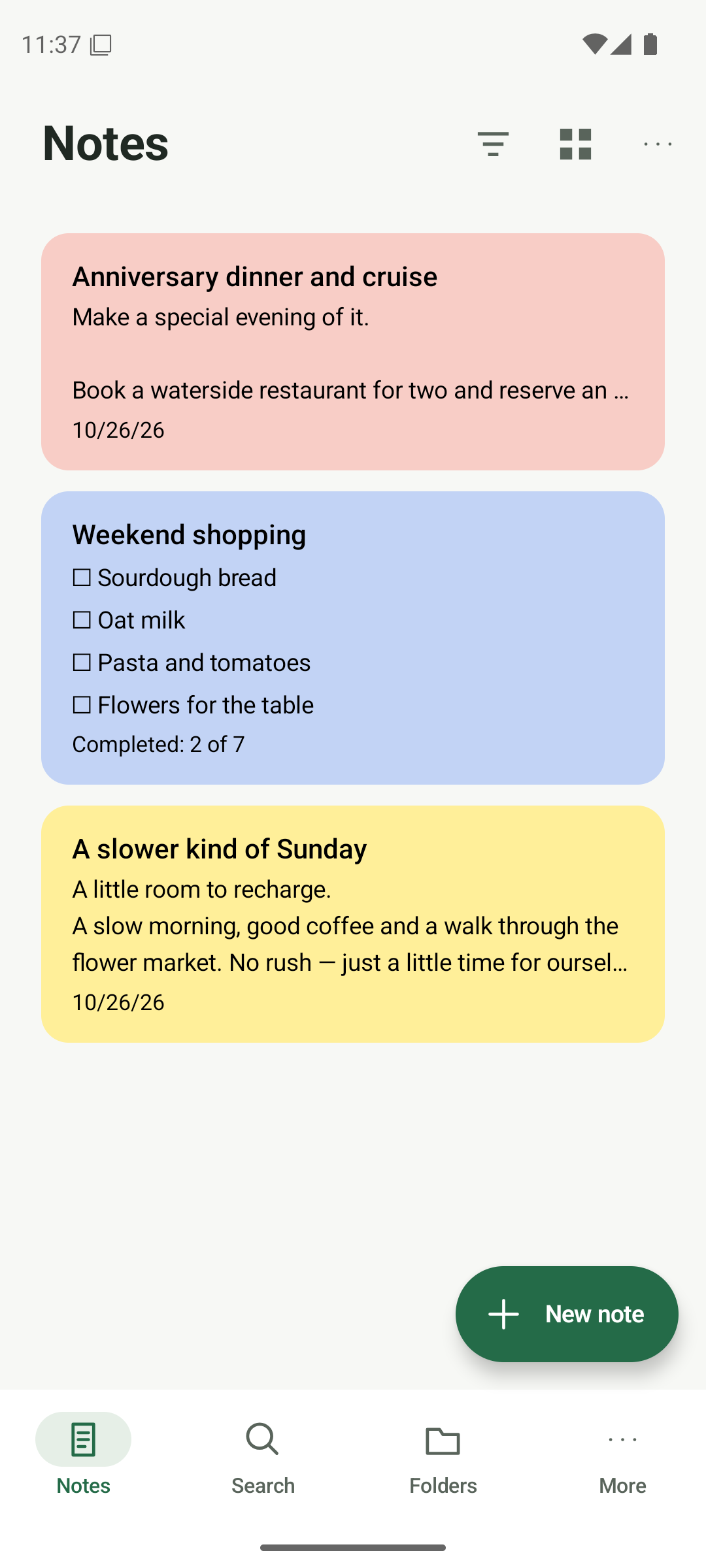
Give every note a home, then find it by its words, colour or place in your notebook.
- List, square notes, preview cards and grid layouts
- Pin important notes and choose note colours
- Search note titles and contents
- Use folders, filters and sorting
More details
- Sort by title, creation, modification or colour
- Keep notes in folders without copying them
- Use multiple tags to connect related notes
- Archive finished notes without deleting them
Free includes 3 folders. Premium adds unlimited folders and tags.
Checklists
FreeA list you can keep using.
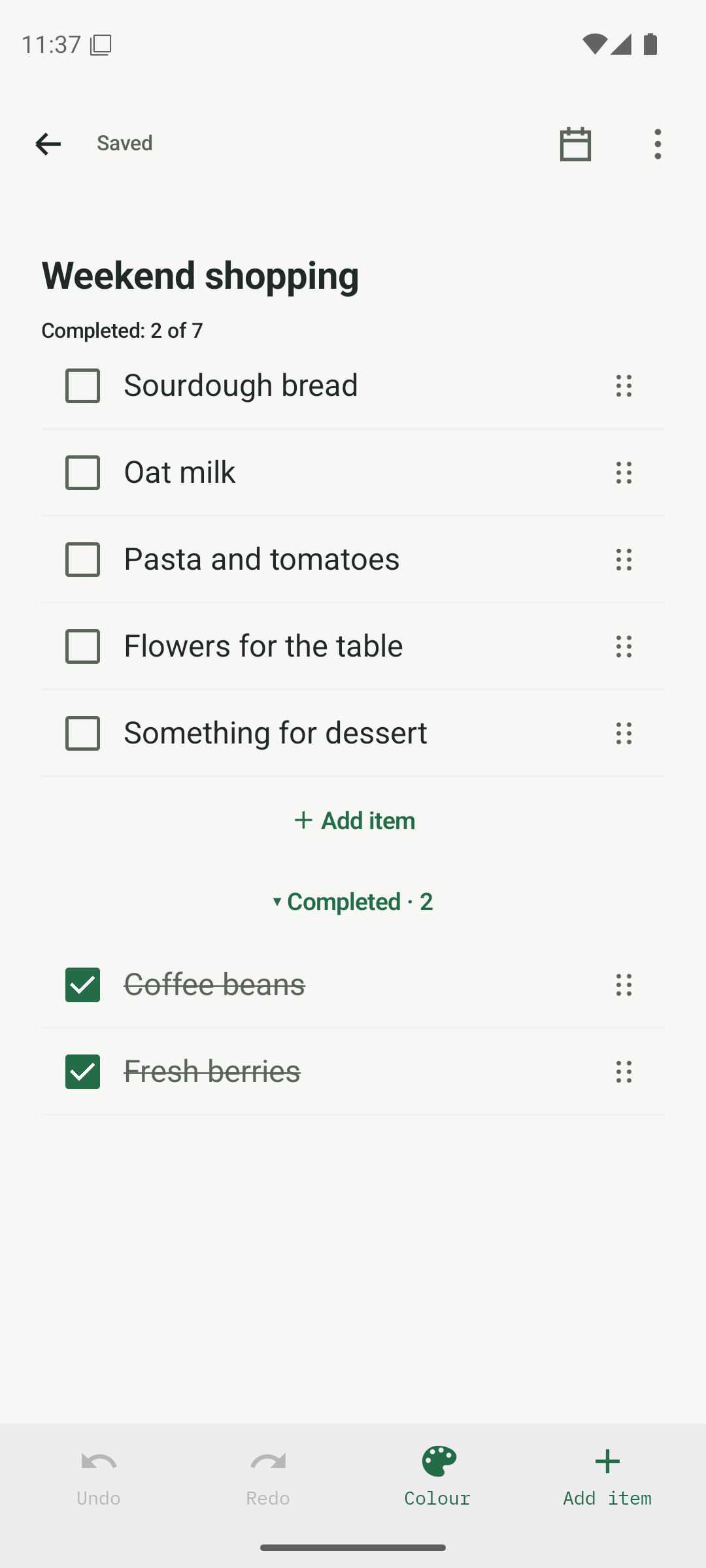
From weekly shopping to a trip away. Work through the details, then reuse the list next time.
- Add, edit, check and uncheck items
- Drag items to reorder them
- See progress and group completed items
- Reset a list without rewriting it
More details
- Show or hide completed items
- Sort items alphabetically
- Duplicate a list into an independent copy
- Undo changes to items and ordering
Checklists, duplication and list reuse are included in Free.
Calendar & reminders
FreeKeep plans and details together.
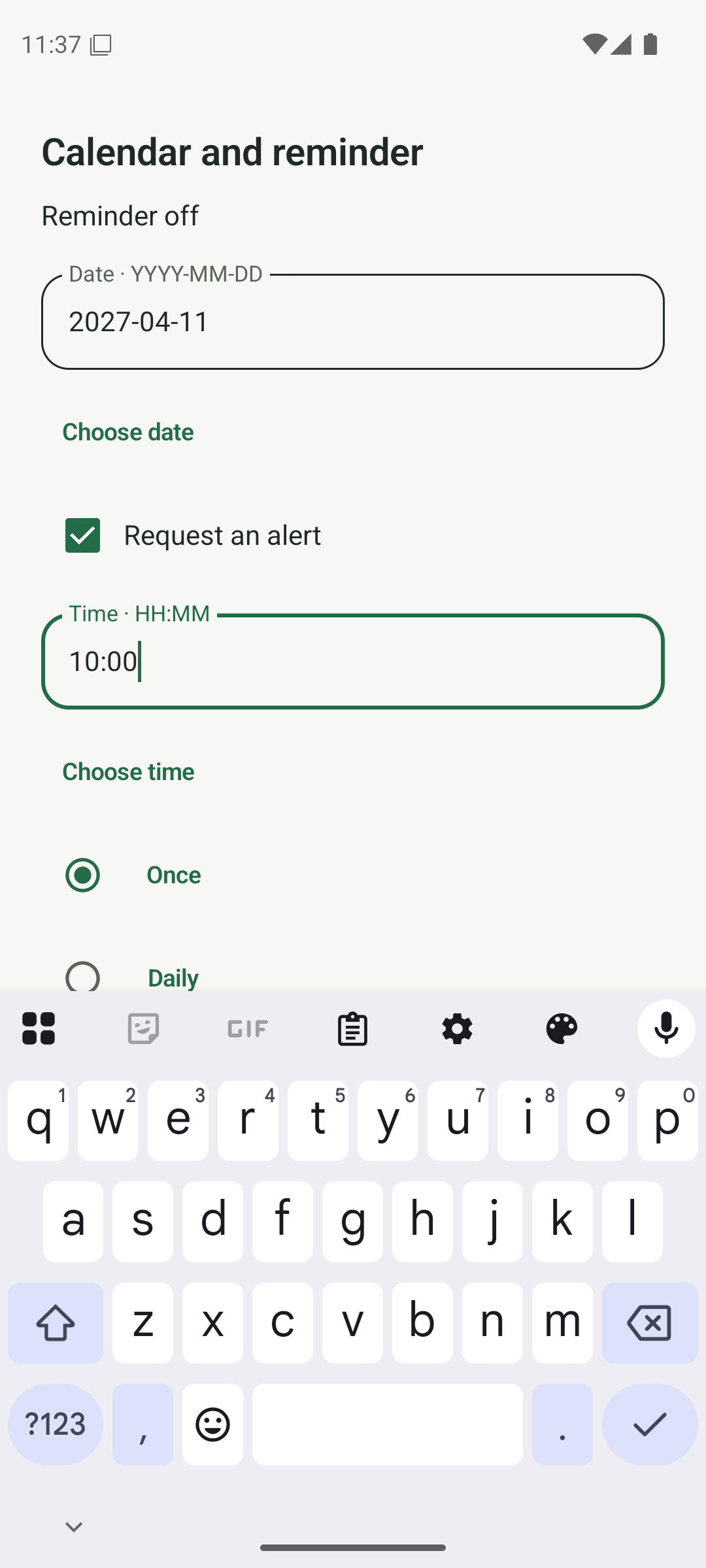
Save the booking, the preparation and the date in the same place. Set a reminder when you want a nudge.
- Calendar and agenda views for dated notes
- Add a date with or without an alert
- One-time, daily, weekly and monthly reminders
- Snooze when you need a little more time
More details
- Keep a reminder attached to its note
- Open the note to see the details behind a plan
- Use dates for plans that do not need notifications
Reminders are Free. Android notification permissions are needed to receive alerts; device battery settings can affect delivery.
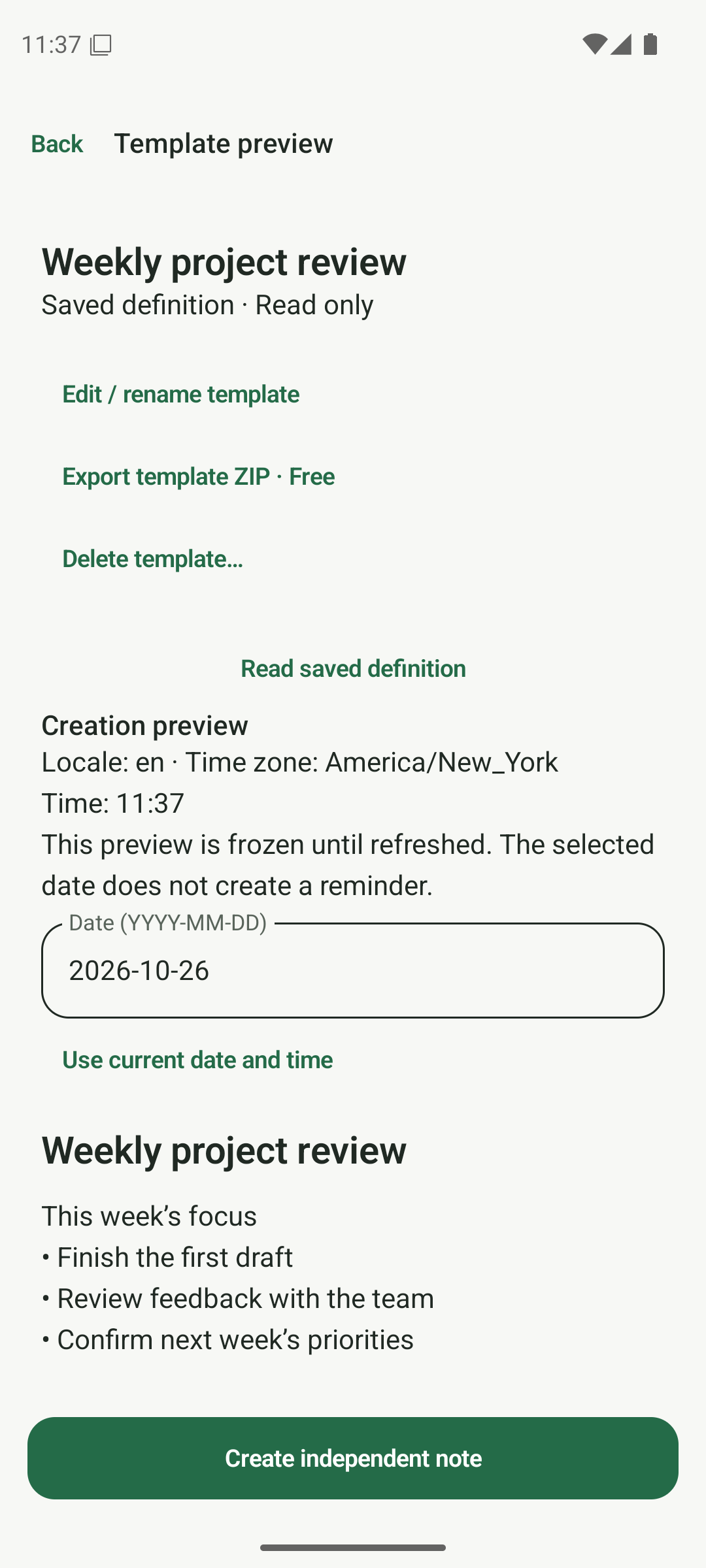
Templates
PremiumStart with the useful part already done.
Keep a weekly review, a project outline or a packing list ready to use again. Each new note is independent.
- Save notes and lists as reusable templates
- Browse and edit your template library
- Create independent notes from a template
- Insert the current date and time through template tokens
More details
- Reuse structure without changing the original template
- Preview a template before creating a note
- Duplicate notes and reset lists for free
Creating, editing and using templates requires Premium. Free duplication and checklist reset remain available.
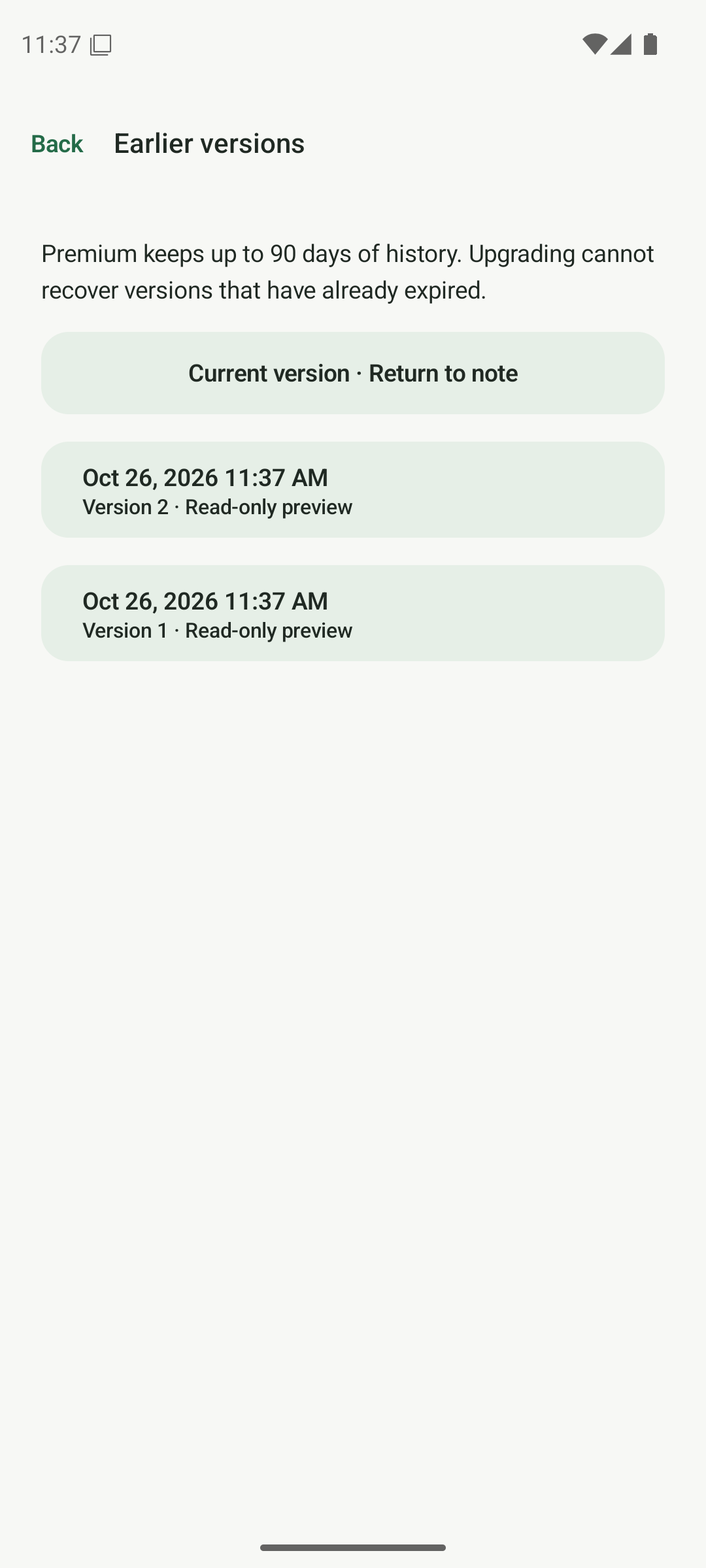
Earlier versions
Free & PremiumGo back to an earlier thought.
Review a previous version when a useful detail changes or a paragraph disappears.
- Browse available earlier note versions
- Preview a version before restoring it
- Restore an earlier version while preserving the current one
More details
- History is different from undo and redo
- Create an encrypted backup for longer-term safekeeping
Free keeps 7 days of history; Premium keeps up to 90 days. Upgrading cannot bring back versions that have already expired.
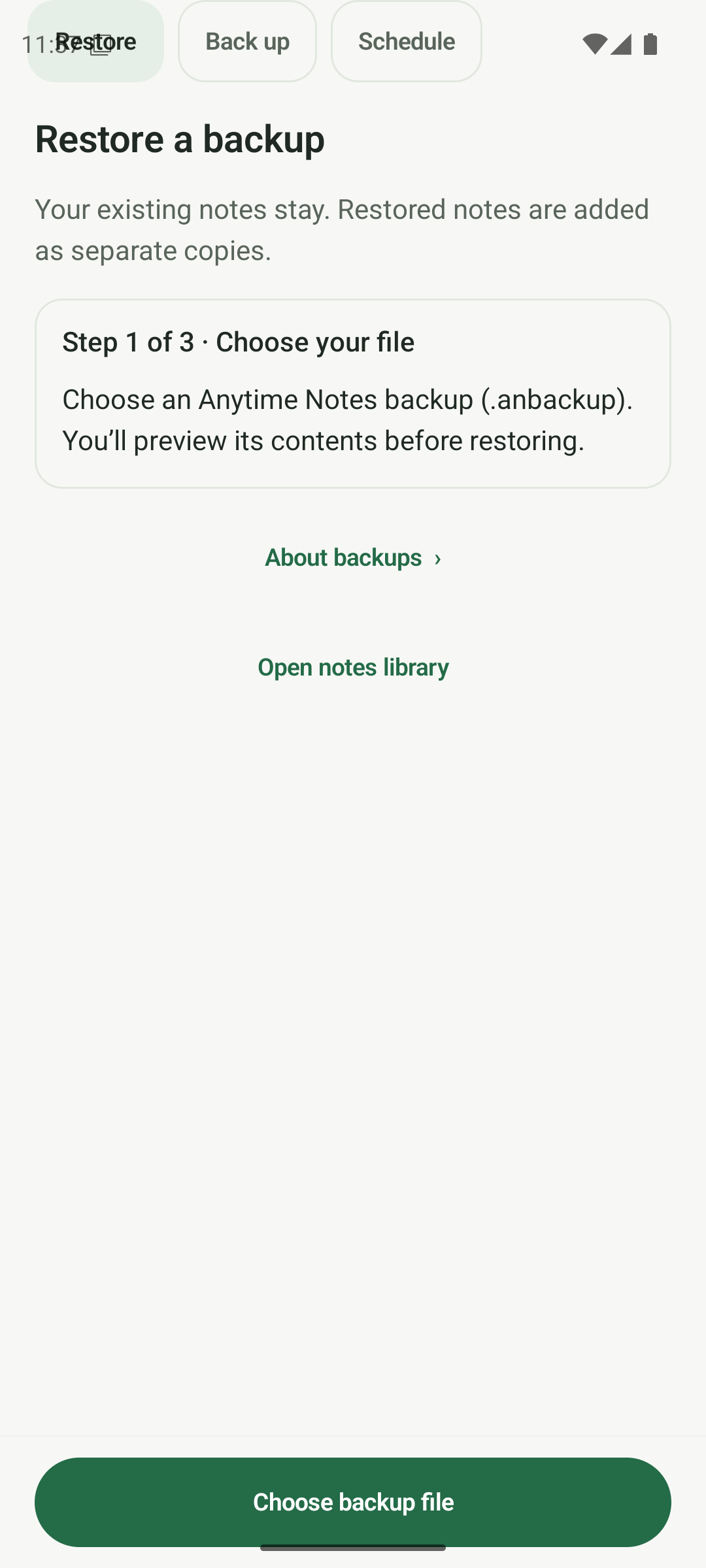
Protection & backup
Free & PremiumKeep what matters under your control.
Protect selected notes and make encrypted backups that you can keep outside your phone.
- Protect individual notes with Android authentication
- Keep protected content out of ordinary previews
- Create a full password-encrypted backup
- Restore backup contents as added copies
More details
- Recover deleted notes from Trash for up to 30 days
- Archive notes without deleting them
- See backup status and contents information
- Premium adds daily or weekly scheduled backups to a chosen folder
Protection applies to selected notes, not the whole database. Keep your backup and its password separately; support cannot reset a recovery password.
Import, export & sharing
Free & PremiumYour notes can go with you.
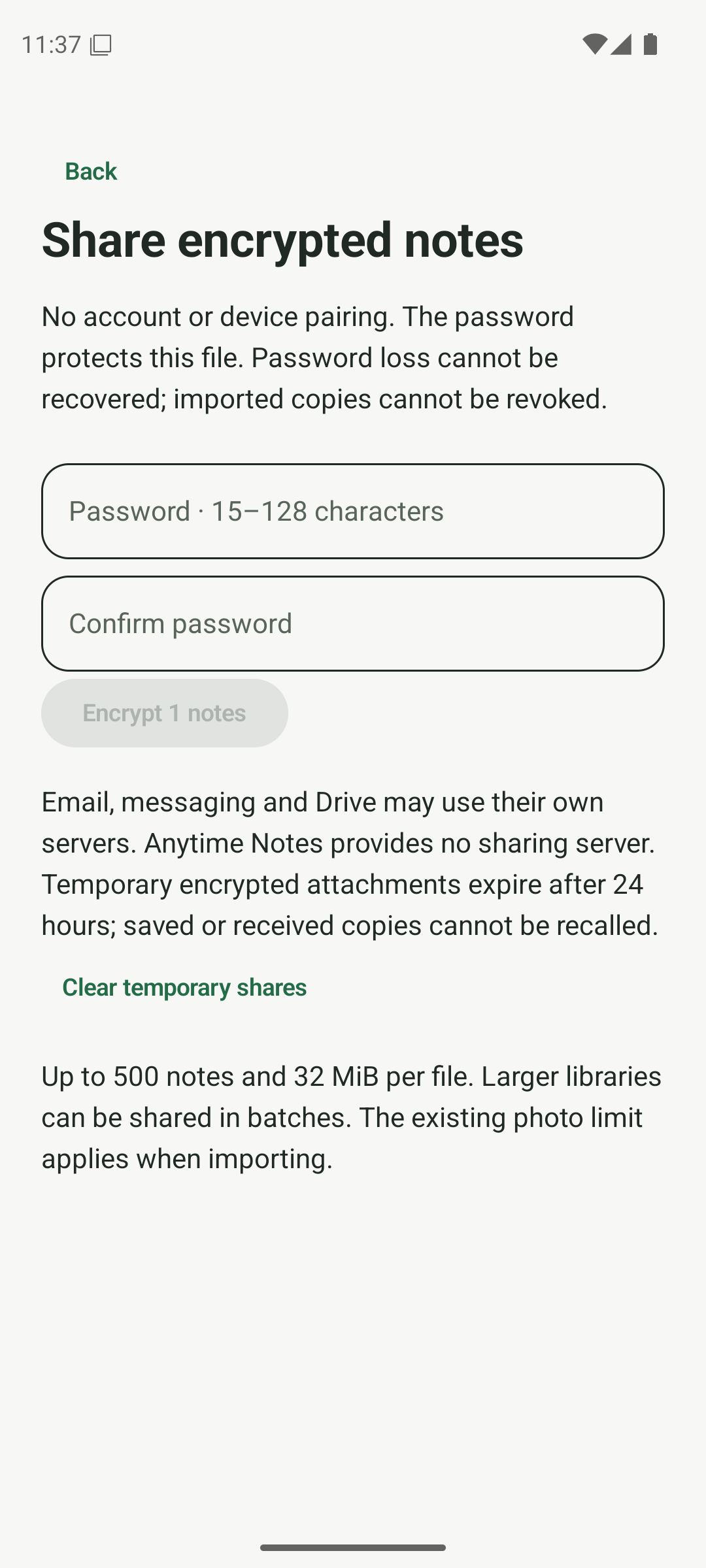
Bring text into your notebook, save readable copies or share selected notes using a separate password.
- Import text and Markdown
- Receive text and images through Android Share
- Export readable files and ZIP archives with photos
- Create password-encrypted files for sharing
More details
- Export selected notes or your notebook
- Premium adds formatted PDF export with preview
- Pair compatible devices for manual direct sync
- Review conflicting copies rather than silently replacing notes
Paired-device sync is manual. Both apps must be open and directly reachable; there is no hosted cloud relay. Sharing and sync do not transfer Premium entitlement.
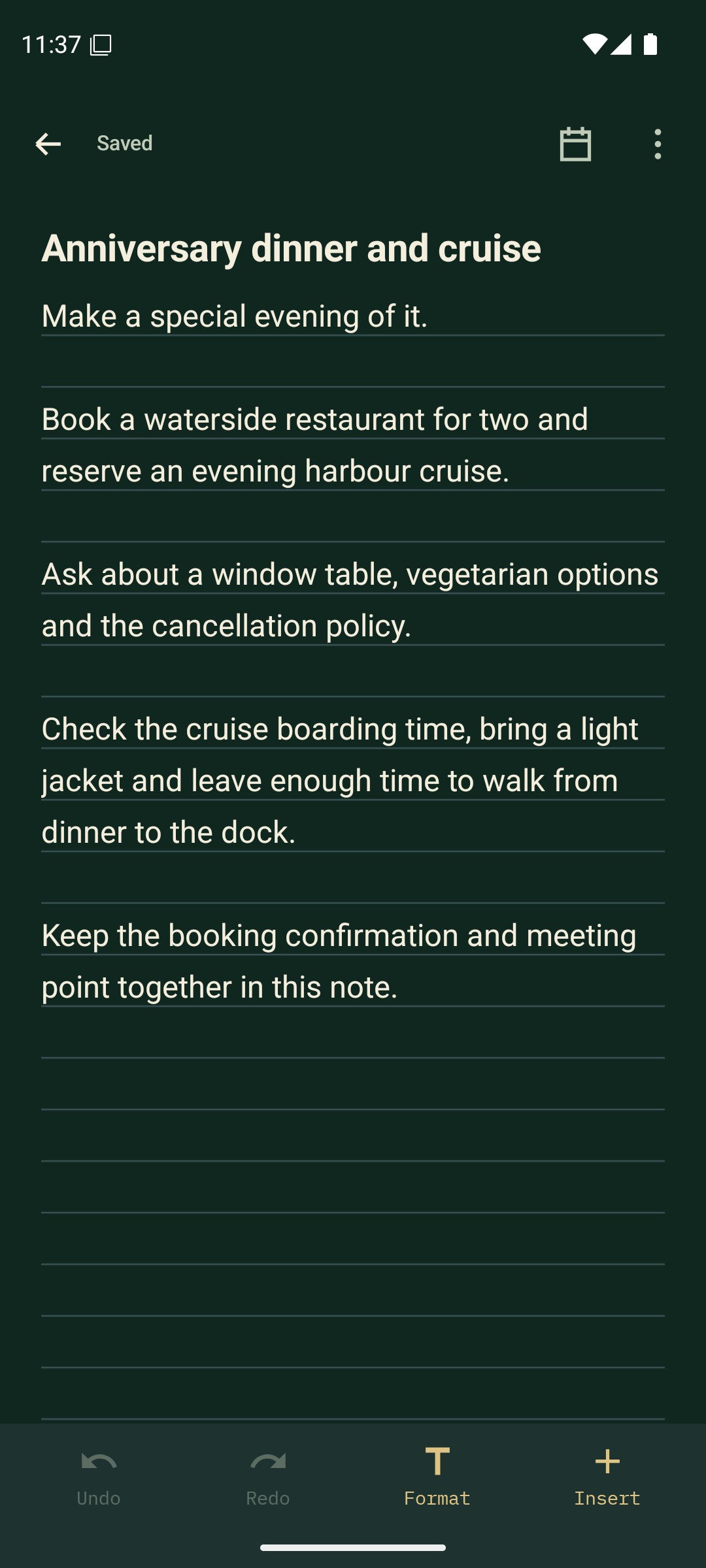
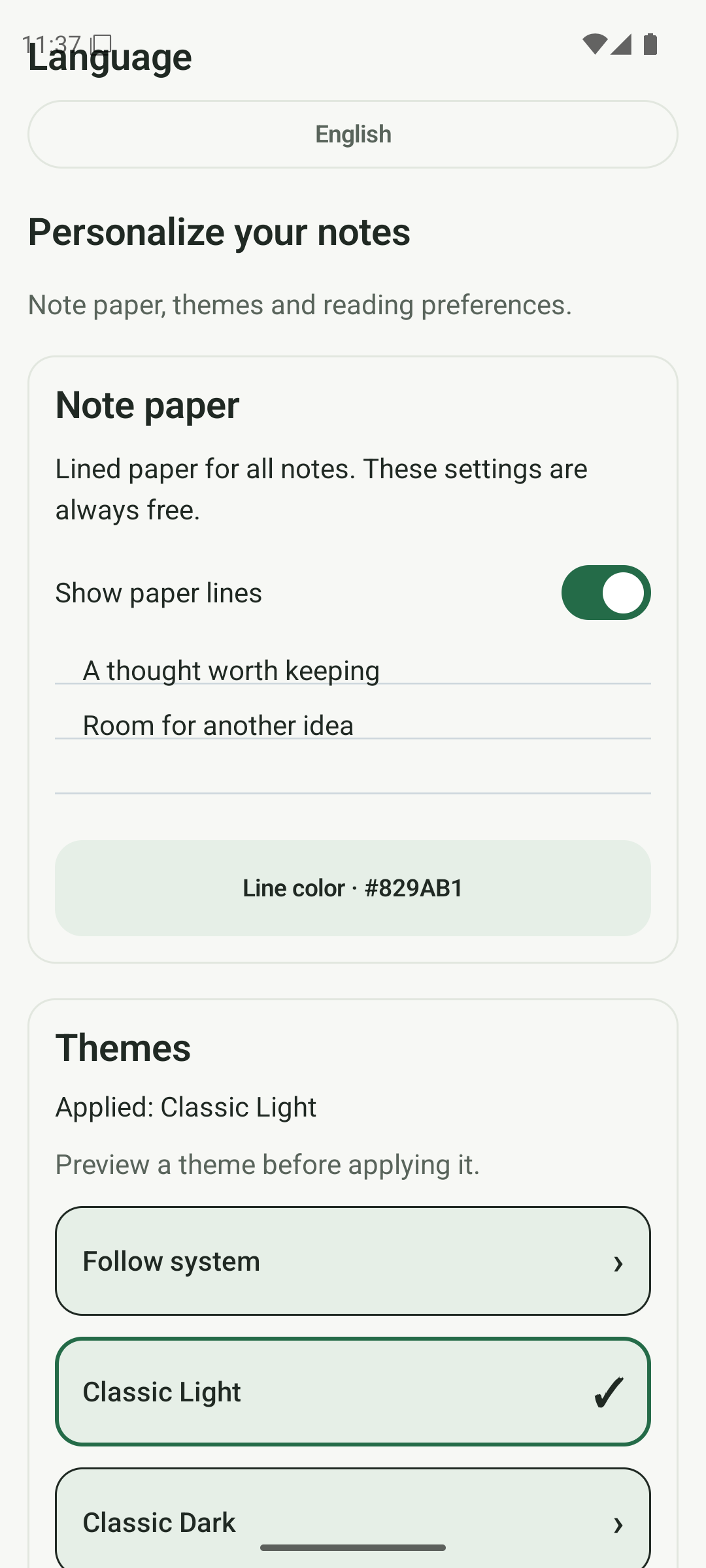
Themes & note paper
Free & PremiumA notebook that feels like you.
Keep things bright with Warm Paper, or settle into Midnight Forest. Match your notebook to your day.
- Light, dark and monochrome appearances
- Preview themes before applying them
- Choose lined or plain note paper
- Change the colour of paper rules
More details
- Premium adds extra themes and a custom theme builder
- Customise backgrounds, accents and note colours
- Choose available font and icon styles in Custom
Light, dark and core themes are Free. Warm Paper, Midnight Forest and extra customisation are Premium.
Languages & accessibility
FreeMake it comfortable to read and use.
Choose the language and reading settings that work for you. These controls stay available in Free.
- English, French, Italian, Spanish, Arabic, Simplified Chinese and Hindi
- Bundled language switching that works offline
- Adjustable text size and Android font scaling
- Higher contrast, alternative palettes and colour symbols
More details
- Right-to-left and mixed-direction writing
- Named controls and explicit text-selection tools
- Accessibility settings work across the app’s themes
The website examples use the same language as the page. Example note text is prepared for each language.
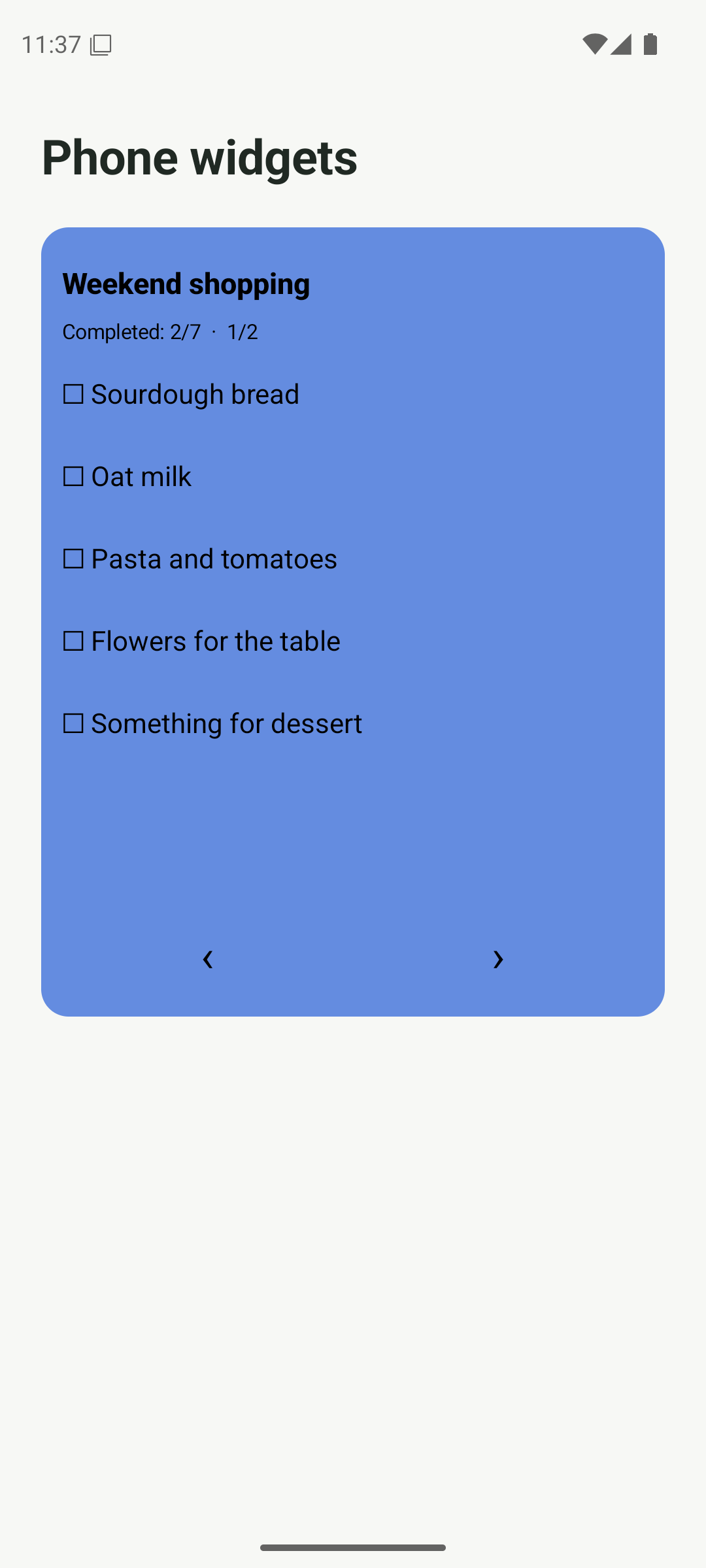
Home-screen widgets
Free & PremiumKeep the next thing close at hand.
Bring a note, list or quick-capture action to your Android home screen.
- Compact note tiles and sticky notes
- Resizable note previews
- Interactive checklist widgets
- Quick capture for a new note or checklist
More details
- Choose the note, size and available content options
- Configure checklist progress and completed-item visibility
- Protected notes use a neutral preview instead of exposing their contents
Basic widgets are Free. Premium adds coordinated theme styling. Launcher sizing and behaviour vary by device.
Plenty to love in Free.
More room with Premium.
Start with the everyday essentials. Optional Premium is a one-time purchase through Google Play.
Good thoughts deserve
a place to stay.
Coming to AndroidAnytime Notes · Coming to Android